
The initial idea to build this tool is the maximize the CG render with proper camera. The show we were working on has an intensively zoom in and re position request from client side. We did the match-move based on the raw plate and keep the possibility to change the framing later on in post.
Here is a quick example to indicate how the tool work. Using geo and camera quickly set up in Nuke, let’s call it is a shot.
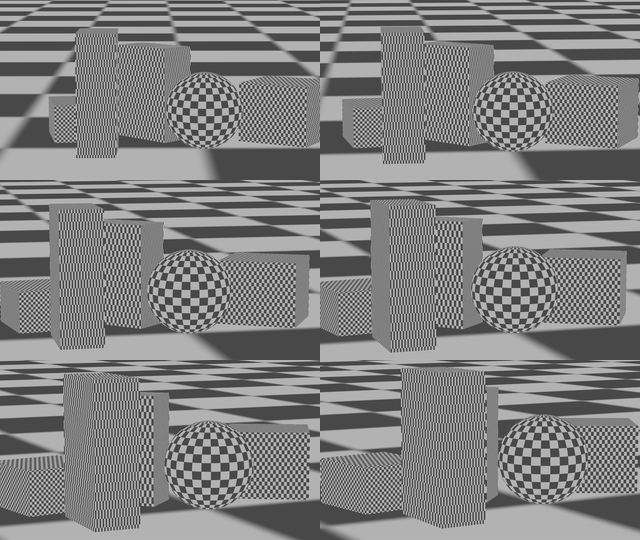
Based on this plate, adding a 2D transform to reposition the plate. The result will be like below.

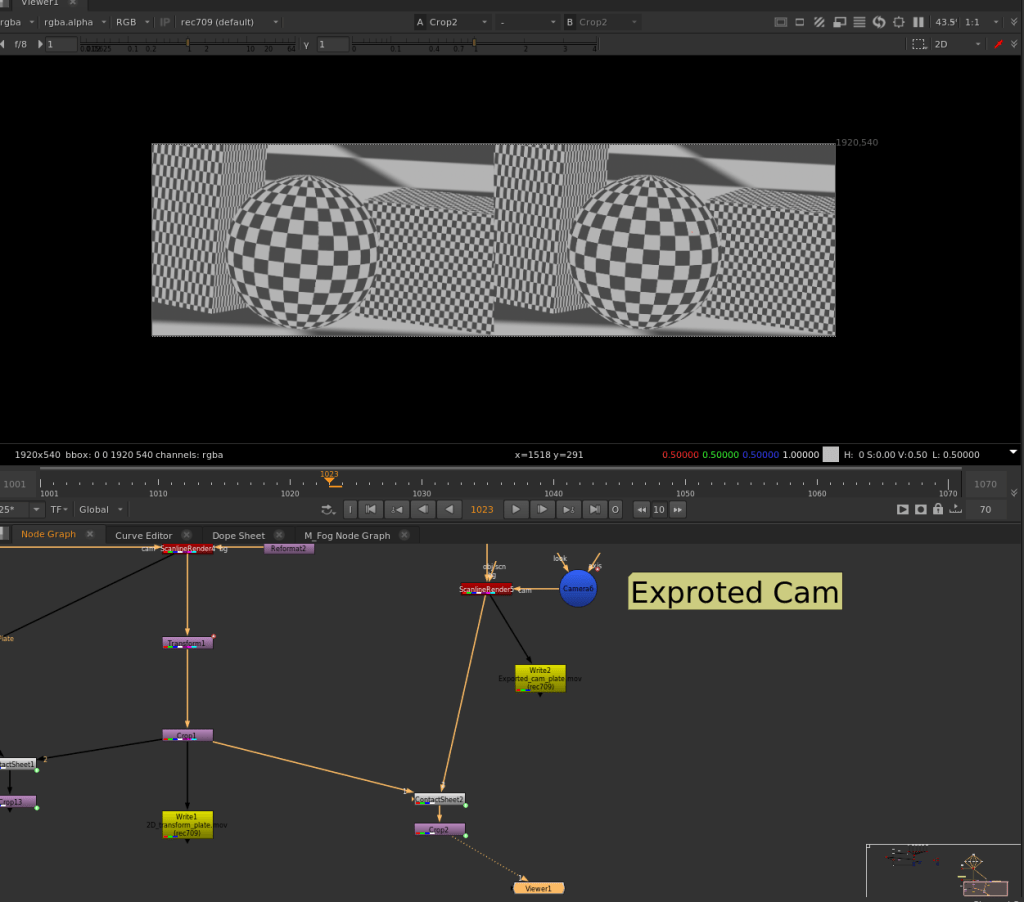
Now it’s time to bring this tool. Connecting the tool with original camera and the raw plate. Copy the entire value including transformation, rotation and scale into this tool. Viewing the result should be exactly same as the 2D reposition.

Exporting the camera from this tool. Due to the limitation of my knowledge, I only make abc as default format for exporting camera. Still working on how to populate all the pull down menu from write geo to the gizmo. Please leave me a message, if you know how to do it. For now, we can dive into the gizmo to export the camera as any format with default node.
Using the new camera connect with 3D scene. The result also should be the same as 2D reposition.

Download the tool
https://drive.google.com/file/d/1ZGTNWAHzzDJQOzfiixinScYaTY5xItqU/view?usp=drive_link
The key method behind this tool is transfer 2D reposition data to 3D camera under proper order.
Scale > Rotation > transformation
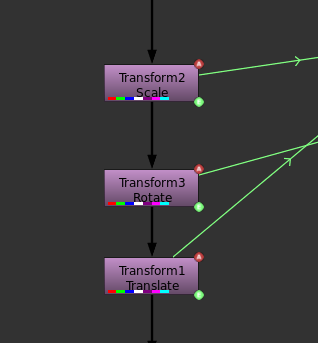
Also, Scale should be a factor multiply with camera focal length. Rotation should be added via camera Z axis. Only using camera window translate parameter to record the 2D transformation data

Another use for this tool is exporting camera with multi axis connections. Normally, comper prefer to manipulate the camera with different axis. It will be tricky when exporting those thing to other software. Connecting the camera without extra 2D reposition data, it will bake all axis information into the new camera.

Thanks for dummy cam, this is the core function to make this gizmo.
http://www.nukepedia.com/gizmos/3d/dummycam
http://www.nukepedia.com/gizmos/3d/reframing_2d
I also tired Erwan’s python script to bake the camera, but failed to take out the new generate camera from inside gizmo to outside.
https://www.mail-archive.com/nuke-python@support.thefoundry.co.uk/msg05386.html
 Zhongyan Dai